
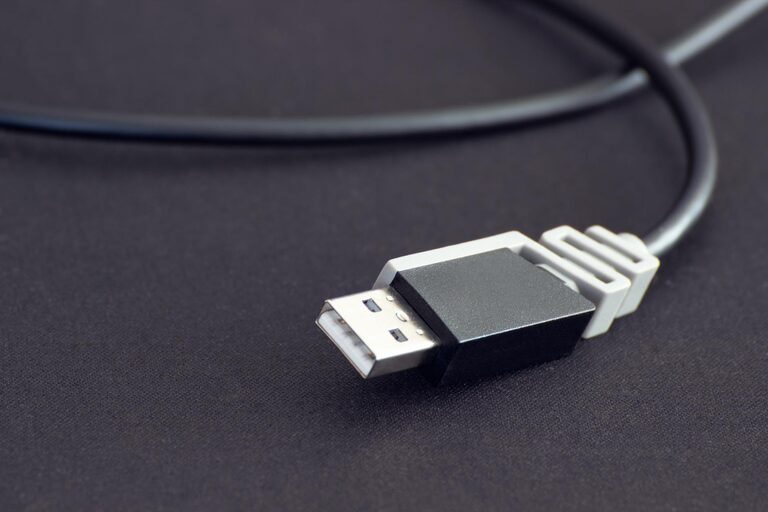
Creating a dedicated charging station for your devices can simplify your daily routine, reduce clutter, and ensure your gadgets are always ready to go. Whether you have smartphones, tablets, laptops, or other electronics, setting up a centralized charging area can save time and keep your space neat.
In this guide, we’ll walk you through everything you need to know to set up an effective charging station that works for your needs.
Why You Need a Charging Station
With more and more gadgets in our lives, device charging can quickly become chaotic. A charging station offers several benefits:
– Organization: Keeps cords, chargers, and devices in one place.
– Efficiency: Charges multiple devices simultaneously.
– Safety: Reduces the risk of tangled cords and overheating.
– Aesthetics: Helps maintain a clean, clutter-free environment.
Step 1: Choose the Right Location
Pick a spot in your home that’s both convenient and accessible for everyday use. Common places include:
– A desk or workspace
– Kitchen counter
– Living room side table
– Bedroom nightstand
Look for a location near power outlets and away from areas prone to moisture or heat.
Step 2: Select the Charging Equipment
Depending on your devices and needs, you’ll want some or all of these:
Charging Hubs and Stations
– Multi-port USB chargers: Allow you to charge several devices at once with one power outlet.
– Wireless charging pads: Great for devices that support Qi wireless charging.
– Docking stations: Designed to hold and charge specific device types, such as smartphones or smartwatches.
Cables and Adapters
Invest in quality charging cables compatible with your devices. Having extra lengths can help manage device placement.
Power Strips or Surge Protectors
For multiple chargers, using a power strip with surge protection is essential to safeguard your devices.
Step 3: Organize Your Charging Station
Keeping your charging area tidy helps maintain its usefulness. Consider these tips:
– Use cable organizers, clips, or sleeves to keep cords neat.
– Label cords if you have many similar-looking cables.
– Place small containers or trays nearby to hold earbuds, adapters, or other accessories.
– For desks or tables, cord management boxes can hide excess cables and power strips.
Step 4: Set Up Charging Rules and Routine
To prevent your charging station from becoming a catch-all mess:
– Only charge devices that need power.
– Encourage family members to place devices back in the station after charging.
– Regularly clean and declutter the area.
Optional Enhancements
Add a Shelf or Wall Mount
If space is tight, consider mounting a charging station on the wall or using a shelf to save surface area.
Incorporate Lighting
A small nightlight or LED strip can make it easier to use the charging station in low light.
Add Labels or Signs
Labeling each charging spot helps guests or family members identify where their devices should go.
Safety Tips to Remember
– Avoid charging devices on soft surfaces like beds or couches to prevent overheating.
– Don’t overload power outlets; follow recommended wattage limits.
– Use certified, high-quality chargers and cables to minimize hazards.
– Regularly inspect cables for damage or wear and replace when needed.
Conclusion
Setting up a dedicated charging station is a practical way to keep your devices organized, charged, and ready whenever you need them. By choosing the right location, investing in appropriate equipment, and maintaining good organization, your charging station can become an efficient hub for your tech lifestyle.
Try these steps today and enjoy the convenience and neatness a well-planned charging station offers!